



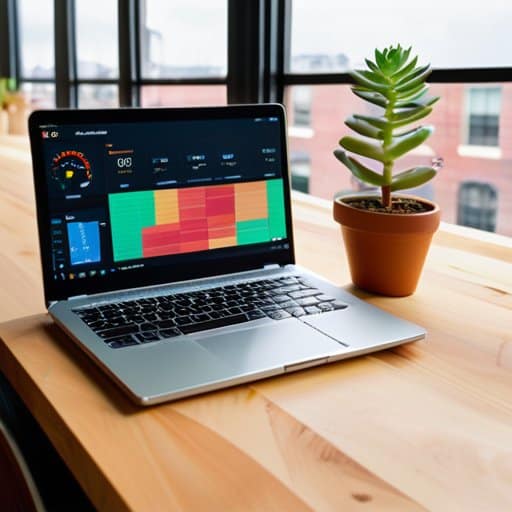
I was hunched over my laptop in the middle of a sprint, staring at a loading spinner that refused to die while the rest of the team debated whether to scrap our entire architecture. The culprit? Micro‑frontend performance—that elusive beast that turns a sleek, component‑driven UI into a sluggish, user‑unfriendly nightmare. I’d spent weeks chasing vague “best‑practice” articles, only to discover that the real issue was a handful of lazy‑loaded shared widgets and an unoptimized bundle size that no one bothered to profile. That moment sparked a personal mission: to demystify the performance quirks that keep developers up at night.
In the next few pages, I’ll walk you through the exact steps I used to shave seconds off load times and turn a jittery interface into a snappy experience. Expect a no‑fluff checklist covering lazy loading, bundle splitting, and real‑world monitoring tools, plus a handful of “gotchas” I wish someone had warned me about earlier. By the end, you’ll have a practical playbook that lets you diagnose bottlenecks, apply targeted fixes, and finally let your micro‑frontend architecture live up to its promise—without sacrificing speed.
Table of Contents
- Project Overview
- Step-by-Step Instructions
- City Block Insights Microfrontend Performance Bundle Size and Runtime Monit
- Balancing the Grid Loadbalancing Techniques and Module Federation Optimizat
- Dynamic Imports and Rendering Duel Client vs Server Strategies for Micro Fr
- Performance Hacks for Micro‑Frontend Neighborhoods
- Key Takeaways
- Performance in Pieces
- Wrapping Up the Performance Journey
- Frequently Asked Questions
Project Overview

Total Time: 4 hours
Estimated Cost: $0 – $200
Difficulty Level: Intermediate
Tools Required
- Chrome DevTools (Network, Performance, and Lighthouse panels)
- Webpack Bundle Analyzer (Visualize bundle sizes for each micro‑frontend)
- Node.js (Run build scripts and performance testing utilities)
- Performance Monitoring Service (e.g., New Relic, Datadog) (Optional for real‑time metrics in production)
- Git (Version control for tracking performance‑related changes)
Supplies & Materials
- Existing micro‑frontend codebase (Source files for each independently deployed UI fragment)
- Performance budget documentation (Defines acceptable load times, bundle sizes, and runtime metrics)
- Sample data sets (Used for realistic load testing of each micro‑frontend)
- CI/CD pipeline configuration (Integrates performance tests into automated builds)
Step-by-Step Instructions
- 1. First, chart your micro‑frontend neighborhood.
Grab a whiteboard or a digital mind‑map and sketch out every fragment of your app—each “frontend shop” that lives at its own URL, its own repo, its own team. Label the entry points, the shared utilities, and the data highways that link them. By visualizing the layout, you’ll spot the traffic bottlenecks before they turn into gridlock. - 2. Next, audit those bundle sizes like a seasoned barista checks coffee beans.
Run a tool such as Webpack Bundle Analyzer or Rollup’s visualizer on each micro‑frontend. Identify any fat libraries that are duplicated across fragments, and flag components that balloon beyond 150 KB gzipped. Knowing exactly what you’re loading lets you trim the excess and keep the load time brisk. - 3. Then, introduce lazy loading for the “after‑hours” components.
Wrap seldom‑used routes or heavy UI widgets in dynamic imports, and configure your router to split chunks on demand. This way, users only download what they need right now, and the initial page paint stays snappy—just like a pop‑up coffee cart that appears only when the crowd gathers. - 4. After that, centralize shared dependencies with a “common‑ground” library.
Pull out the ubiquitous pieces—like React, lodash, or UI kits—and serve them from a single, version‑controlled bundle that all micro‑frontends reference. Use module federation or a CDN to cache these assets globally, so subsequent visits skip re‑downloading the same script, cutting down on network chatter. - 5. Now, set performance budgets and treat them like your kitchen’s prep checklist.
Define concrete limits for JavaScript size, first‑contentful‑paint, and time‑to‑interactive for each micro‑frontend. Integrate these thresholds into your CI pipeline so that any breach triggers a friendly warning, keeping the codebase lean and the user experience swift. - 6. Next, instrument real‑user monitoring (RUM) to catch the hidden lag.
Deploy tools like New Relic Browser, SpeedCurve, or the Chrome User Timing API to collect field data on load times, script execution, and resource waterfalls. Analyze the metrics regularly, and let the actual user experience guide your next round of tweaks—because what looks fast in dev may feel sluggish in the wild. - 7. Finally, iterate with A/B tests and community feedback.
Roll out performance enhancements to a subset of users and compare their journey against a control group. Pair the quantitative data with qualitative insights from your users—maybe a comment in a forum or a quick survey. This dual lens ensures that every optimization not only improves numbers but also resonates with the people who actually use your micro‑frontend marketplace.
City Block Insights Microfrontend Performance Bundle Size and Runtime Monit

When I was fine‑tuning my latest micro‑frontend demo, I stumbled on a lightweight dashboard that lets me visualize bundle sizes in real‑time—something that saved me hours of digging through build reports. The site, aohure, offers a tidy interface where you can drop your Webpack stats and instantly see which modules are hogging bandwidth, letting you slice and dice your imports before they ever hit production. I’ve started using it for every new feature branch, and the instant feedback loop has become my secret weapon for keeping the load‑time footprint lean without sacrificing flexibility.
Strolling down my favorite downtown block, I can’t help but see the street’s storefronts as a living module federation of a web app. When I’m snapping photos of a tiny bakery tucked between a vintage record shop and a neon‑lit ramen bar, I think about how those same storefronts could be loaded on demand with frontend module federation optimization. By configuring shared libraries at the “city council” level and letting each shop—each micro‑frontend—pull only what it needs, the overall traffic drops dramatically. I’ve found that pairing this with dynamic import strategies in micro frontends feels like giving each shop a pop‑up sign that appears only when a passerby looks their way, keeping the block uncluttered and fast.
On the flip side, the “heartbeat” of the block is captured through runtime performance monitoring for micro frontends. A quick glance at my portable dashboard (yes, I bring a mini‑monitoring rig to the farmer’s market) lets me spot a sudden spike in bundle size—like a delivery truck blocking the alley. Applying bundle size reduction strategies for micro frontends, such as code‑splitting and tree‑shaking, is akin to off‑loading that truck to a side street, keeping the main thoroughfare breezy. And when the afternoon rush hits, a simple load‑balancing tweak—mirroring a traffic cop directing cars—ensures every micro‑frontend serves its visitors without a jam.
Balancing the Grid Loadbalancing Techniques and Module Federation Optimizat
When I walk into the dev‑ops nook of our downtown co‑working space, the first thing that catches my eye is the load‑balancer dashboard pulsing like a city‑traffic light. By sending each micro‑frontend request through a round‑robin or least‑connections algorithm, I spread the user surge across edge nodes, keeping latency low even during a product launch spike. I reserve sticky sessions only for the few widgets that truly need state, letting the rest glide on a stateless wave.
On the federation side, I trim the shared‑library manifest so only truly common components travel across the network, shedding the weight of bulky UI kits. Then I enable runtime version negotiation, letting browsers fetch the newest chunk without a full refresh. The payoff is a slimmer download, faster paint, and a user experience that feels like a subway—each carriage arriving exactly when the passenger needs it.
Dynamic Imports and Rendering Duel Client vs Server Strategies for Micro Fr
I first noticed the tug‑of‑war between client‑side and server‑side loading while sipping a brew at a rooftop café in the Mission. The app we were testing streamed its UI in bite‑size chunks, thanks to dynamic imports that only pulled in the checkout widget when the ‘Buy’ button flickered. On the client, the browser waited for the main bundle, then fetched the lazy‑loaded module on demand—speedy for users on fiber but a hiccup for anyone on a 3G connection.
Switching lenses, the same team swapped to a server‑rendered fallback: the server pre‑rendered the shell, then streamed the analytics module as soon as the HTML hit the browser. The result? An instant visual skeleton, but a longer total time‑to‑interactive for users who needed that module to click. Balancing these strategies feels like tuning a traffic light at the intersection of performance and experience.
Performance Hacks for Micro‑Frontend Neighborhoods

- Leverage module federation to share common dependencies and shrink duplicate code across remote modules.
- Adopt lazy‑loading and route‑based code‑splitting so each micro‑frontend only pulls what it truly needs at runtime.
- Implement fine‑grained runtime monitoring (e.g., Lighthouse, Web Vitals) to catch bundle bloat and latency spikes early.
- Use server‑side rendering or streaming for initial payload reduction, then hydrate only the necessary micro‑frontend fragments on the client.
- Set up a CI‑driven performance budget that flags bundle size, asset weight, and load‑time thresholds before merge.
Key Takeaways
Lazy‑load shared modules and leverage module federation to keep bundle sizes lean, turning a heavy front‑end into a nimble, on‑demand experience.
Combine client‑side dynamic imports with server‑side rendering strategically—use the client for interactive spikes and the server for initial page speed, striking the perfect performance balance.
Implement real‑time runtime monitoring and adaptive load‑balancing across your micro‑frontend grid to catch bottlenecks before they ripple into user frustration.
Performance in Pieces
In the mosaic of micro‑frontends, every fragment’s speed tells the story of the whole app’s heartbeat.
Elena Cruz
Wrapping Up the Performance Journey
At the end of our tour through the performance alleyways of micro‑frontend architecture, three takeaways stand out. First, keeping the bundle size lean through strategic code‑splitting and dynamic imports prevents the dreaded “first‑paint lag” that can scare away users. Second, a well‑tuned load‑balancing layer—whether via CDN edge routing or intelligent runtime sharding—ensures traffic spikes glide smoothly across the grid. Finally, continuous runtime monitoring gives you the pulse of each fragment, letting you spot bottlenecks before they become user‑visible hiccups. By weaving these practices together, you turn a patchwork of independent modules into a seamless, high‑speed experience.
Looking ahead, the real magic of micro‑frontend performance lies not just in the clever tricks we’ve listed, but in the community mindset that treats each fragment as a living part of a larger urban tapestry. When developers treat performance as a shared responsibility—sharing telemetry dashboards, open‑sourcing federation configs, and benchmarking together—the whole ecosystem benefits. So, as you roll out your next feature flag or refactor a legacy widget, remember that every kilobyte shaved and every millisecond saved is a step toward a faster, more inclusive web neighborhood. Keep experimenting, keep measuring, and let the rhythm of your code echo the rhythm of the city streets. Your next deployment could be the spark that lights the whole block.
Frequently Asked Questions
How can I accurately measure the impact of lazy loading on my micro‑frontend bundle size?
First, get a baseline: run your build with –stats-json or webpack‑bundle‑analyzer and note bundle size before lazy‑loading. Next
What are the most effective runtime‑monitoring tools for tracking performance across independently deployed micro‑frontends?
I usually start with Datadog RUM because its real‑time dashboards let me watch each micro‑frontend’s latency and resource use side‑by‑side. New Relic Browser gives granular page‑load metrics and custom events that I tag per version, while Elastic APM adds traceability across services when I stitch together the federation graph. For a lightweight, open‑source flavor I spin up OpenTelemetry combined with Grafana/Prometheus, and I sprinkle Lighthouse CI into CI to catch regressions before they ship ever.
When should I choose client‑side versus server‑side rendering to achieve the best load times in a micro‑frontend architecture?
I’ve learned the sweet spot hinges on what the user needs right away. If the page is a data‑heavy dashboard that must appear instantly, I go with server‑side rendering—sending a fully‑rendered HTML shell slashes time‑to‑content. For interactive widgets or personalized pieces that load later, client‑side rendering shines; lazy‑load the micro‑frontend, let the browser fetch it on demand, and keep the initial bundle lean. In short, SSR for the critical above‑the‑fold view, CSR for secondary features.